
ChatGPT Add-in for Outlook

Description

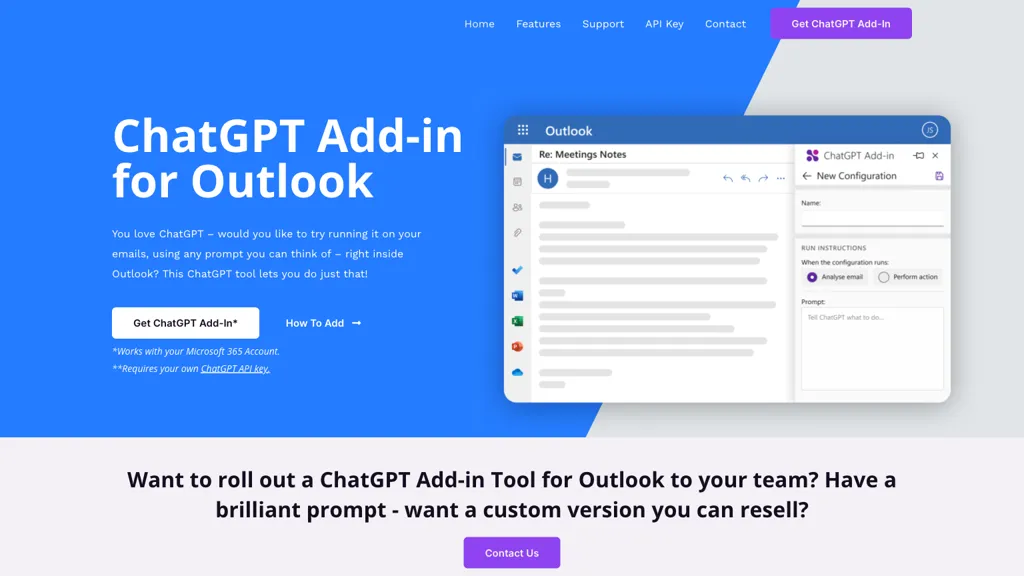
ChatGPT Add-in for Outlook – The ChatGPT Outlook Add-in seamlessly integrates ChatGPT AI into Microsoft Outlook, allowing users to generate summaries and highlights within emails. Custom prompts and configurations enhance productivity by focusing on relevant information.

(0)
Please login to bookmark Close

Monthly traffic:

Social Media:

Introducing ChatGPT Add-in for Outlook

ChatGPT Outlook Add-in is an innovative tool that simplifies the integration of ChatGPT functionalities into Microsoft Outlook. By seamlessly combining these two powerful tools, users can now enjoy the benefits of ChatGPT while composing and managing their emails.

Efficient Email Processing

With ChatGPT Outlook Add-in, users can effortlessly run ChatGPT directly within their inbox and while composing new emails. The tool also enables users to create custom prompts to guide ChatGPT in generating relevant summaries and highlights based on specific needs. This way, users can focus on the most important information and quickly process their emails.

Moreover, the tool allows users to choose whether to process entire emails or specific parts, such as body, subject, or attachments. This flexibility enables users to tailor the tool to their specific email processing needs.

Custom Configurations

Another fantastic feature of the ChatGPT Outlook Add-in is its ability to manage multiple configurations for different email scenarios. Users can set up matching conditions, prompts, and display preferences that suit their requirements, making email processing a breeze.

Enhance Productivity with Microsoft 365 Integration

By integrating ChatGPT into Microsoft 365, the ChatGPT Outlook Add-in offers a convenient way to enhance productivity and streamline email communication. This integration enables users to efficiently process and manage their emails, making email communication more efficient and effective.

In conclusion, the ChatGPT Outlook Add-in is an indispensable tool for anyone who wants to improve their email processing and communication. With its seamless integration, custom configurations, and efficient processing features, this tool is a must-have for Microsoft Outlook users.

Reviews

ChatGPT Add-in for Outlook Pricing

ChatGPT Add-in for Outlook Plan

Promptmate Website Traffic Analysis

Visit Over Time

Monthly Visit

Avg. Visit Duration

Page per Visit

Bounce Rate

Geography

Traffic Source

Top Keywords

Promptmate Launch embeds

Encourage community support for your Toolnest launch by using website badges. These badges are simple to embed on your homepage or footer.

How to install?

Click on “Copy embed code” and paste this code into the source code of the home page of your website.

How to install?

Click on “Copy embed code” and paste this code into the source code of the home page of your website.

Alternatives

313686

United States_Flag

19.56%

Userpilot - Userpilot: Empowering engagement through guided onboarding & personalized features, fostering

0%

Ultimate Skill Extractor by Further - The AI tool suggests in-demand skills
(0)
Please login to bookmark Close

24689

United States_Flag

13.43%

Unleash the full potential of innovation with the AI Toolbox for Innovators.
(0)
Please login to bookmark Close

32563

United States_Flag

42.43%

Hubble is an advanced tool designed for product and design teams seeking
(0)
Please login to bookmark Close

9405

India_Flag

100%

Welcome to ChatGPT.AI, the all-encompassing AI platform that serves as your portal
Learnitive Notepad is a multi-functional note-taking app with markdown, code, image, and
Whimsical AI - The AI tool is a platform that generates ideas

291

Thailand_Flag

83.07%

Sort My Thoughts is an innovative AI-powered platform designed to transform the